



|
|

|
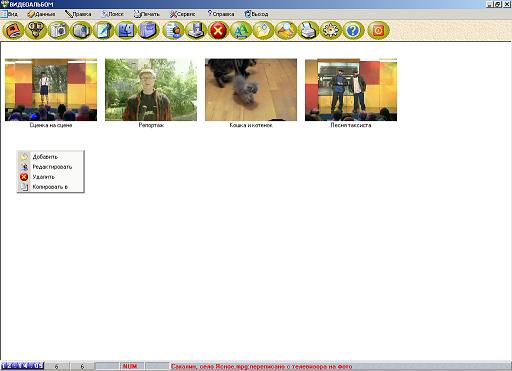
The program allows you to create a family video album.
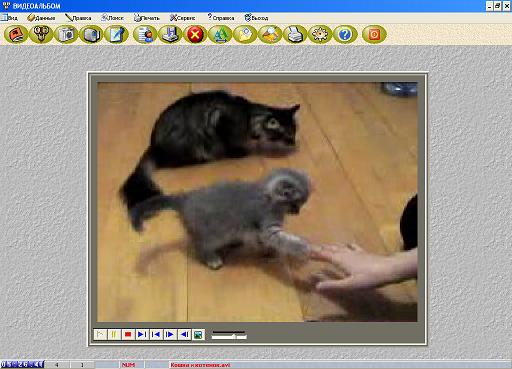
Click on the button with the video camera icon in the menu bar. To view or listen to a video or audio file, double-click on it.
To return to the video list viewing mode, also double-click on the video image. To manage information in a video album, you can use the “Main Menu” or call the pop-up “Submenu” with the right mouse button.
To add a video to a video album, click on the button with the mouse in the menu
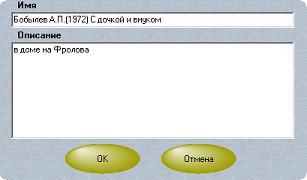
To add a description to the video, click on the button in the menu bar
To sort videos in alphabetical order, click in the panel
To search for a video in a video album, click on the button in the menu bar
To print the first frame of the video, click on the button with the printer icon in the menu bar. To copy videos from a folder from one family member to another, |
|
family
list
tree
collection
families
pedigree
cryptographer
surnames
names
phone
secret
animal
genealogical
app
trees
ancestry
heritage
gallery
codes
apple
microsoft
google
huawei
allsoft
xiaomi
samsung
appstores
screenshots
amazon
linux
|
 English
 Dansk
Dansk Español
 Français
 Suomalainen
 Deutsche
 Nederlands
 Norsk
Norsk Italiano
 Portugal
 العربية
 हिंदी
हिंदी বাংলা
বাংলা Polskie
 Română
 Русский
 Čeština
 Svenska
 中國人
中國人 한국어
한국어 日本語
日本語 Family video album
 Adding a video
 Adding a description to a video
 Sort files by name
 Data Search
 Print video